Jetwire: a VPN designed with AI for modern threats
Most VPNs still do one job: hide your IP address. Today's risks are leaked passwords, stolen sessions and tracking that follows your email. I used AI to design a VPN that handles those too, then rebuilt it by hand into a prototype you can try below.
Try the prototype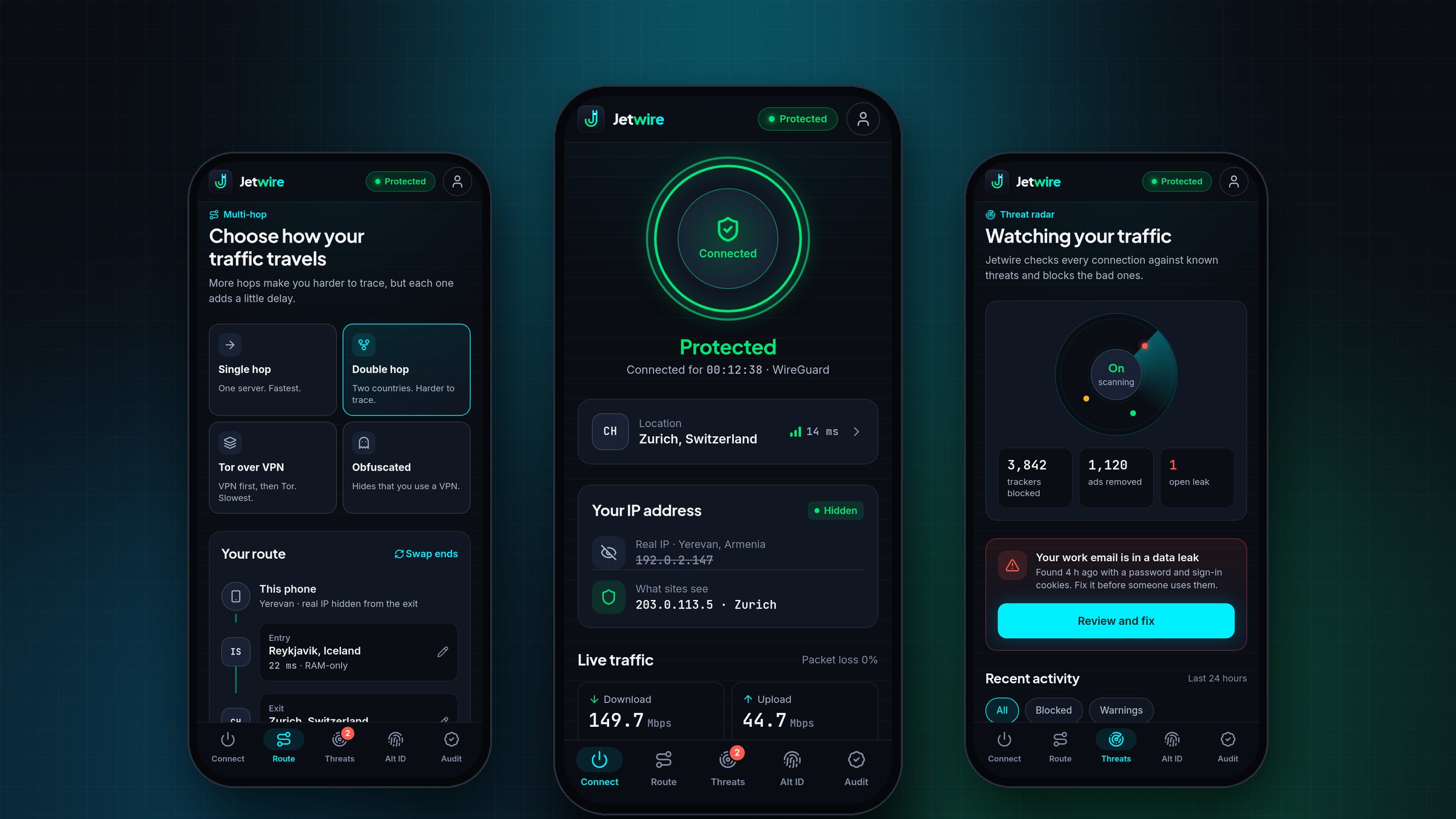
Try it yourself
All seven screens work, with no backend. Connect, build a two-country route, fix a data leak, create an email alias or run the privacy audit. On a wide screen, the screen map next to the phone can drop the network to show the kill switch at work. All data is fictional.
Open in new tabHow I designed it with AI
I started with a brief, not a blank canvas. I described the product to Google Stitch, and in a few hours it gave me seven screens and a design system: dark surfaces, cyan for activity, emerald for safety.
Then I did the part AI doesn't do: I tested it. The screens looked finished but broke in use. I kept the visual direction, fixed what was wrong, wrote all the copy and rebuilt every screen in React, so each button does something real.
Speed, a visual direction and a full set of screens to react to.
Judgement, honest copy, real states and edge cases, a new logo and a working prototype.
At a glance
Role
Product concept, AI-assisted design, UX audit, UX writing, logo and prototype
Tools
Google Stitch (AI), React
Type
Mobile VPN app concept
Legacy VPNs were built for one threat: someone watching your Wi-Fi. Now your password can leak in another company's breach, a stolen cookie can sign in as you, and every sign-up form asks for your real email. A VPN that only hides your IP address misses all of that.
A VPN that protects the person as well as the connection. You can see at a glance whether you're safe. It warns you about leaks and helps fix them, keeps your real details out of forms, and lets you check its claims yourself.
What the AI got wrong
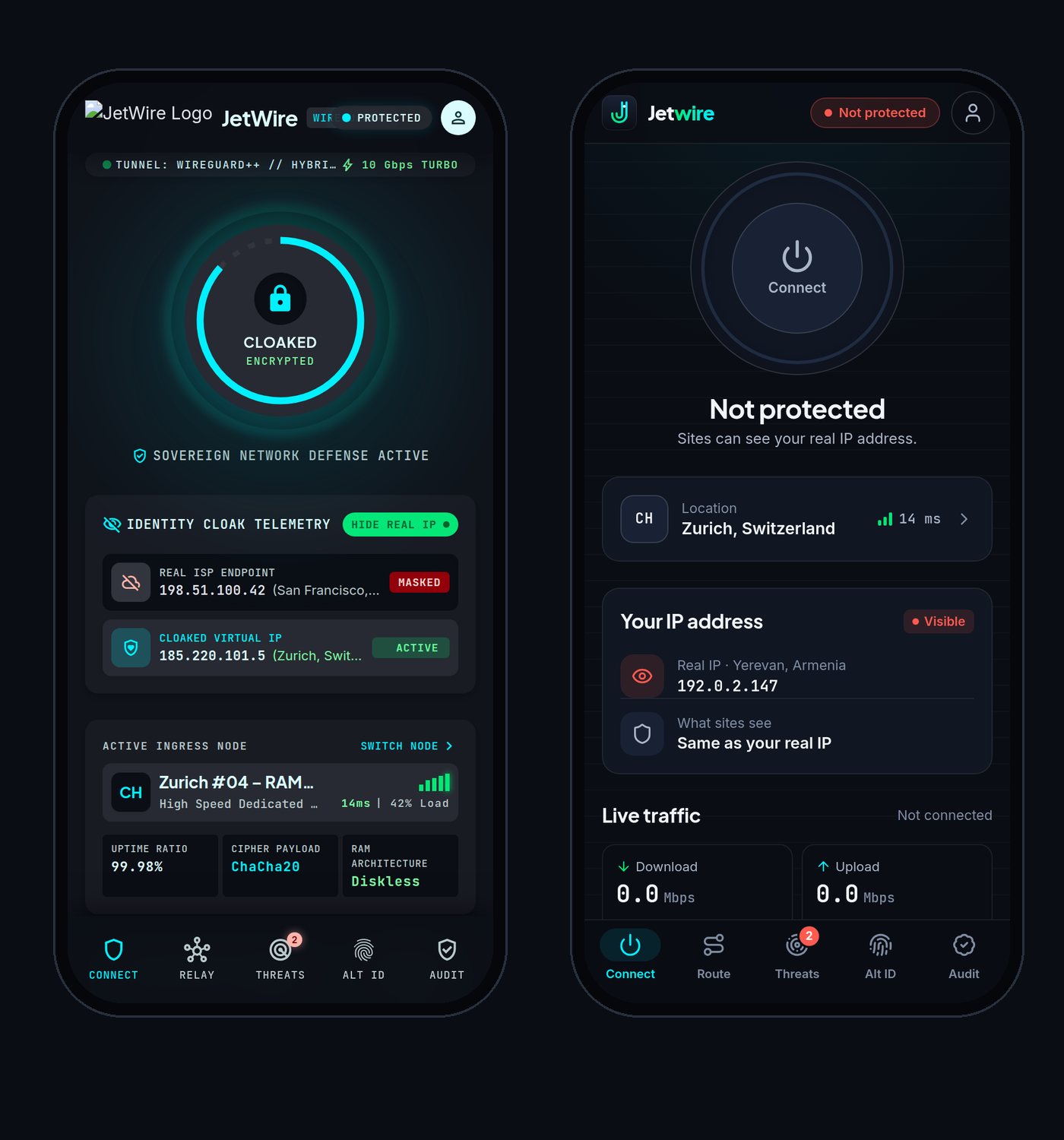
- Broken logo. The image is missing on every screen, so the header shows its alt text instead.
- Crowded header. The protocol pill runs into the “Protected” badge.
- Cut-off data. Server and city names are truncated: the details people check most.
- Monospace capitals everywhere. Labels, buttons and data all look the same.
- Copy that overclaims. “Military-grade”, “untraceable”, a “synthetic billing address” for tax purposes. I rewrote or removed all of it.
- No grid, missing states. Uneven spacing, no connecting, disconnect or failure states, and splash text that overlaps.
Left: the AI screen. Right: my rebuild. Click to enlarge.
Key flows
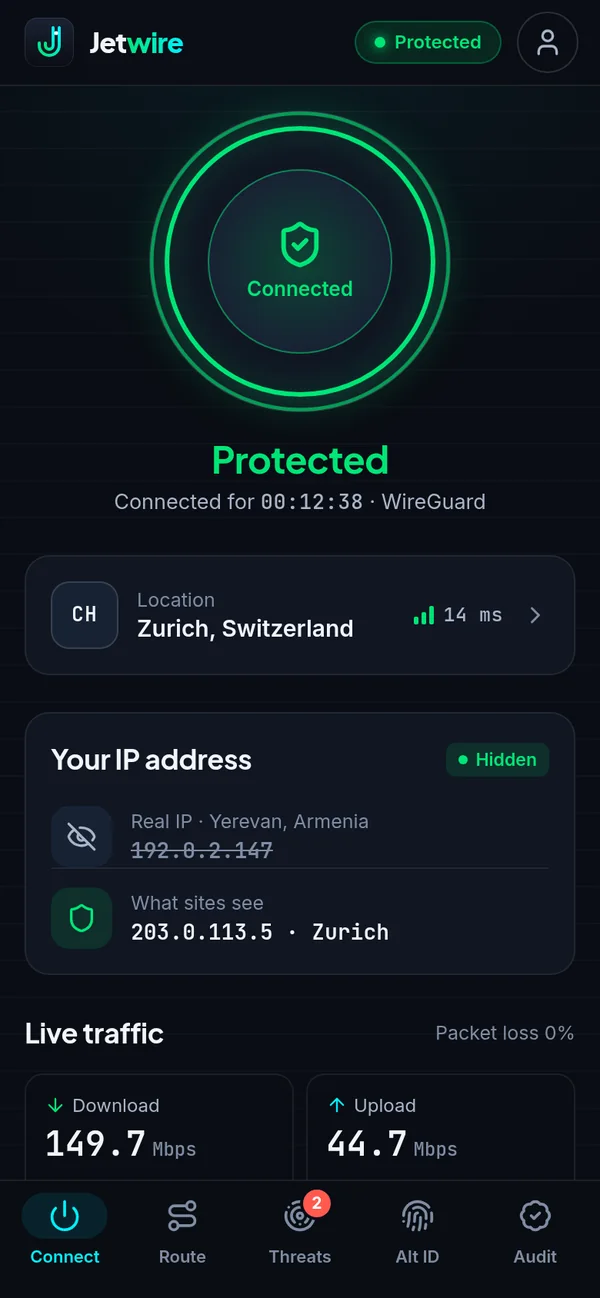
Protected or not, at a glance
The ring has three states: grey when you're exposed, cyan while it connects, green when you're protected. Your real IP and the IP sites see sit side by side, so “protected” means something concrete.
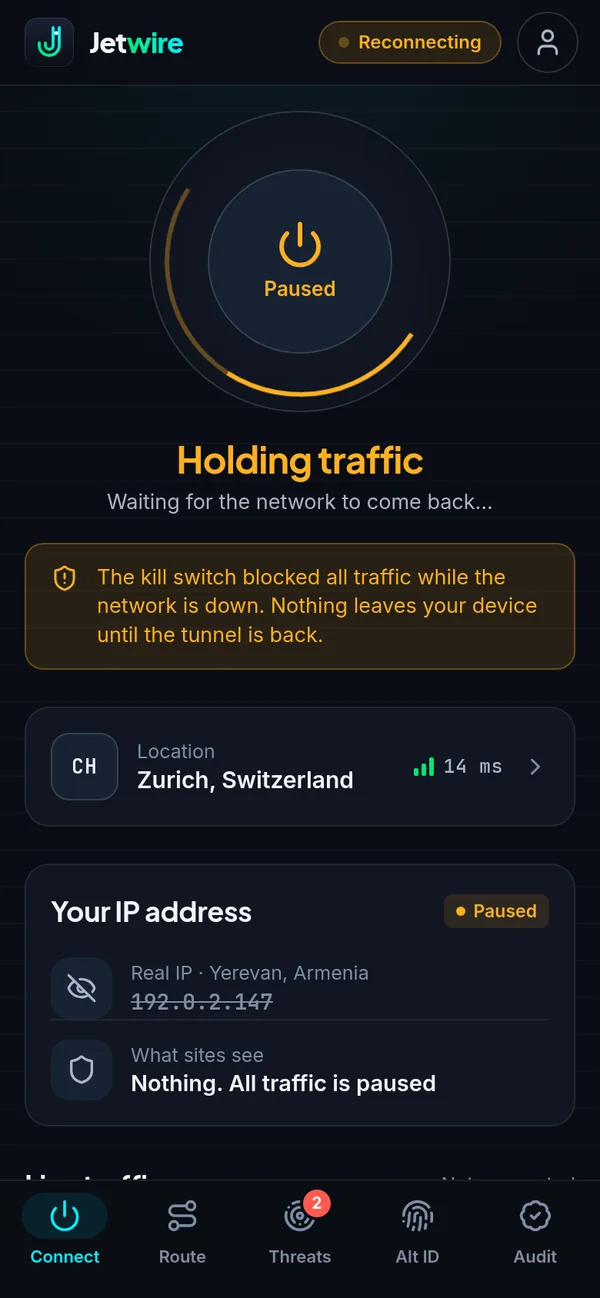
A safety net you can watch working
Drop the network and the app turns amber, holds all traffic and marks your IP as paused. When the network comes back, it reconnects and confirms that nothing leaked.
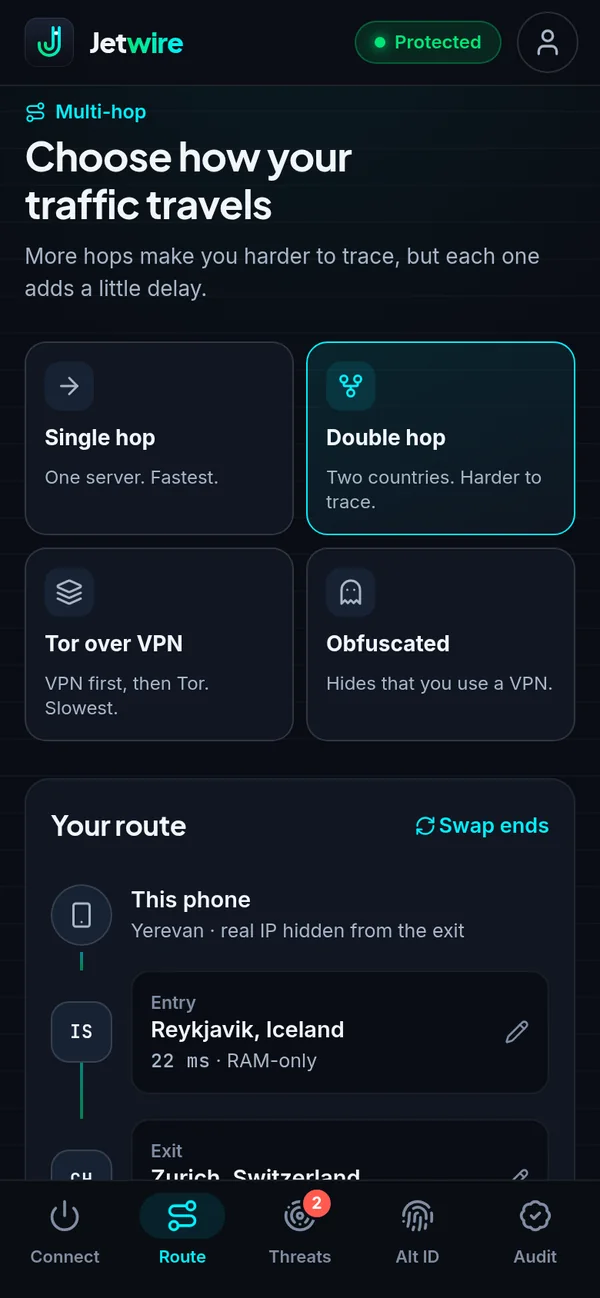
More privacy, with the delay shown up front
Four modes, each with a one-line trade-off. The route is drawn from your phone to the exit server, and the estimated delay updates with every hop you add.
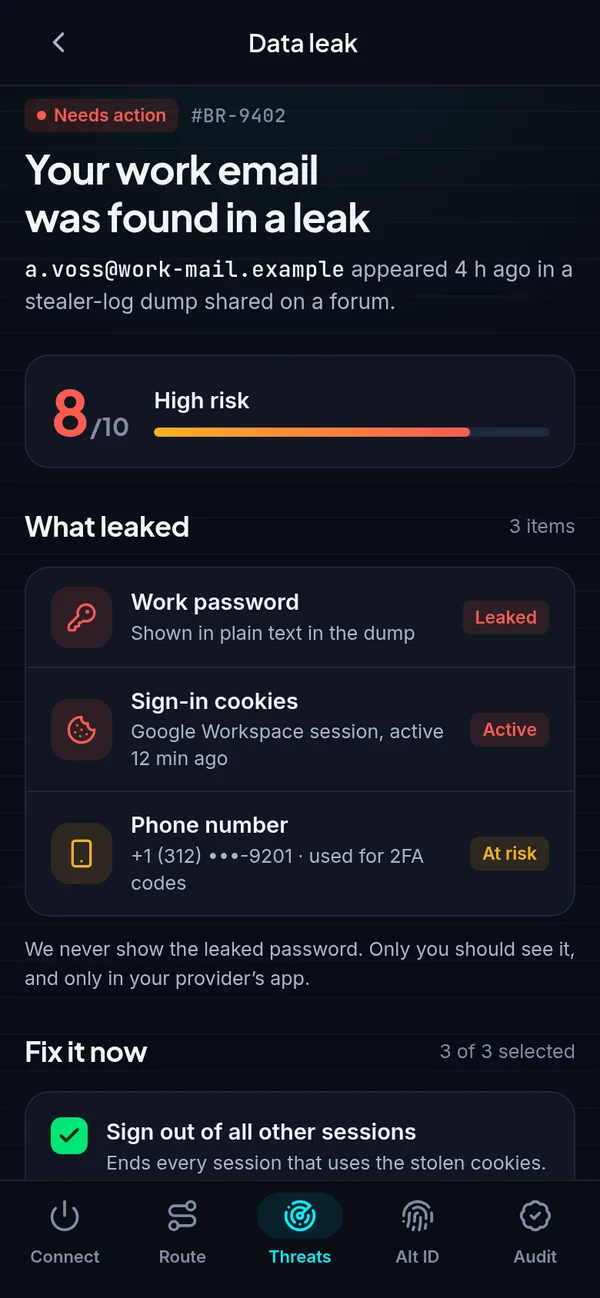
The VPN tells you your password leaked, then helps fix it
A legacy VPN wouldn't notice this. Jetwire shows what leaked and how risky it is, then offers a fix plan: three steps it can do for you and one only you can do. The password is never shown.
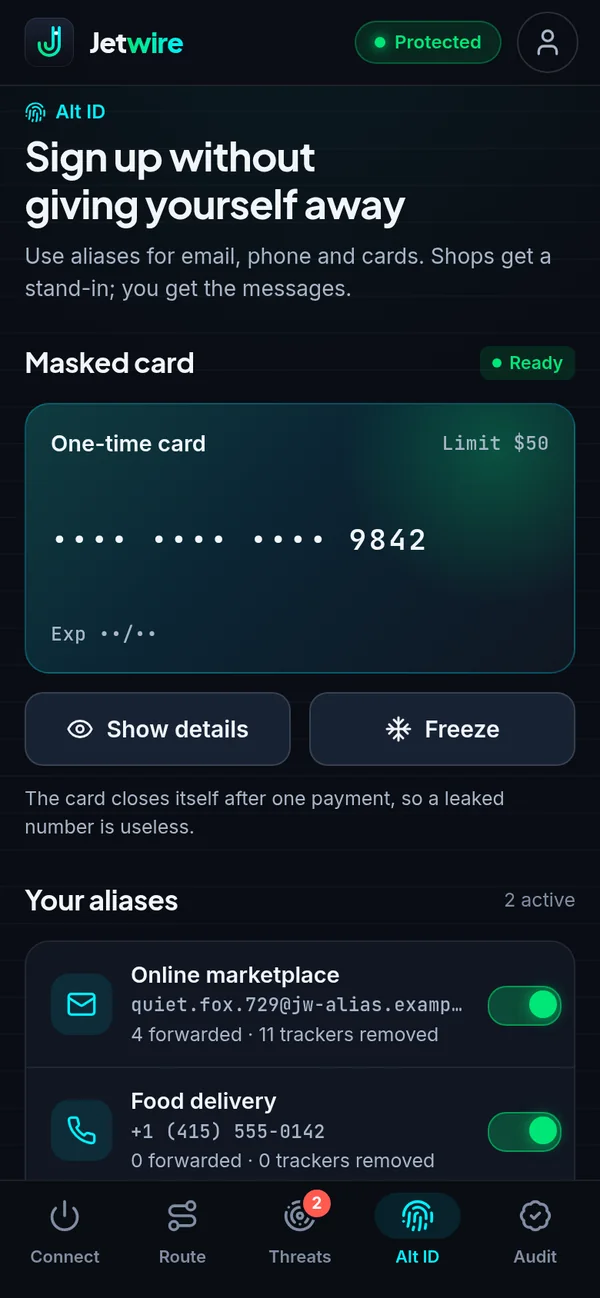
Aliases, so forms never get your real details
Legacy VPNs hide where you are. Alt ID also hides who you are, with email and phone aliases and a one-time card that needs your fingerprint to reveal.
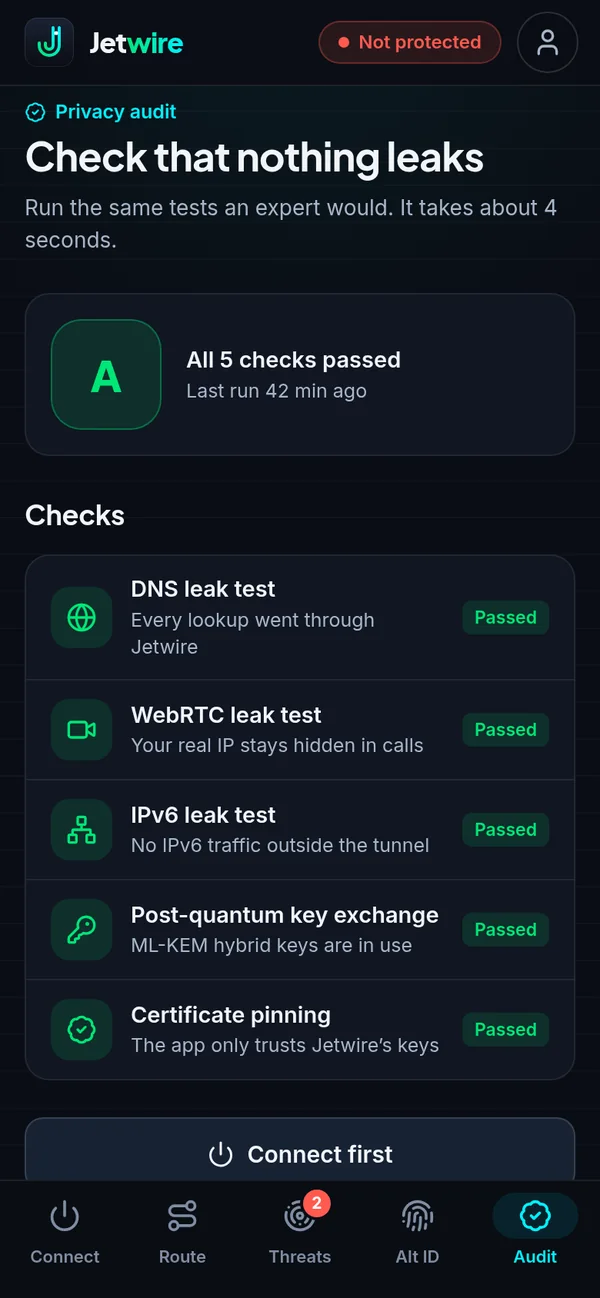
Proof you can run yourself
Five leak tests run while you watch. Run them while disconnected and three fail, and the app explains why. A check that can fail is easier to trust than a badge that always says A+.
A new logo

The AI used a lightning bolt, which plenty of other apps already use. I drew a J from two parallel wires, the tunnel, with a white dot inside it, the data. It stays readable at 16 px.
Design decisions
Plain words, no overclaiming
A security app earns trust by being exact. Every label says what's happening, nothing more.
Header · connect button · IP card
One status, everywhere
Each state has one colour and one word, used the same way in the header, the connect button and the IP card.
Monospace only for data
The AI set every label in monospace capitals. Now labels use Inter, and only IPs, delays and card numbers use monospace, so the data stands out.
tap area
button
4 px grid · 16 px padding · 12 / 16 / 24 gaps
Real tap targets on a 4 px grid
I checked every screen at 390 px for overflow, clipped text and targets that are too small to hit.
Desktop, onboarding and plans
The AI design system already describes a desktop layout with a live log and a route graph. That comes next, along with onboarding and a plans screen that's clear about price and cancelling.